

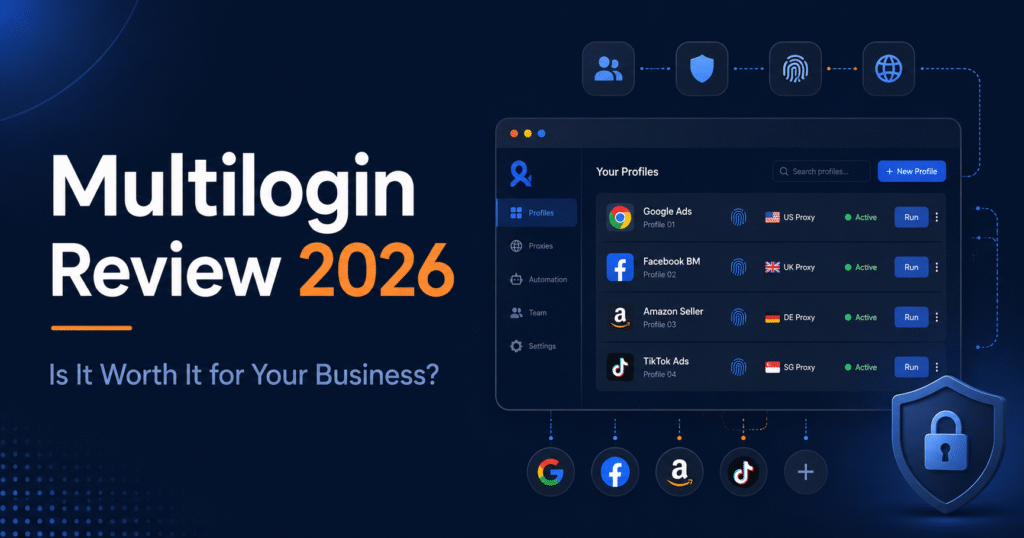
I have tested a lot of tools in 10 years of SEO. Most of them promise to solve a problem they barely understand.
Multilogin is different.
Not because it is perfect. It is not. But because it solves a real problem that agencies, affiliate teams, and e-commerce operators deal with every single day: managing multiple online profiles without getting flagged, banned, or locked out.
In 2026, Multilogin added something no other browser-profile tool had at this scale: Android cloud phones. Real Android environments. Not emulators. Not desktop browsers pretending to be mobile. Actual Android environments where you install TikTok, Instagram, and Facebook the same way you would on a physical phone.
That changes what this tool is. And it changes who needs it.
This is my honest multilogin review 2026. No affiliate bias. No competitor agenda. Just what I found after going through the platform, the pricing, the features, and the real-world use cases.
If you manage multiple social profiles professionally, read this before you decide.
What Is Multilogin and How Does It Actually Work?
Most people still think of Multilogin as an antidetect browser. That description made sense in 2020. In 2026 it undersells what the platform has become.
Multilogin is now a cloud phone platform. It gives you two things in one dashboard: Android cloud phones for mobile app workflows and browser profiles for web-based workflows.
Here is the simplest way to understand it.
Platforms like TikTok, Instagram, and Facebook are built around one assumption: one person, one phone, one account. The moment a platform detects that ten accounts share the same device fingerprint, the same IP address, or the same login patterns, it acts. Shadowbans. Suspensions. Lockouts.
Multilogin solves that by giving each account its own sealed environment. To the platform, they look like ten strangers on ten different devices. Whoerip
The two profile types work like this:
Android Cloud Phones
Android client phones are real Android environments hosted remotely. When you start a cloud phone, it shows a live phone screen you control from your computer. Each cloud phone has its own Android version, device identity, app storage, login history, proxy connection, and location. Multilogin runs real Android cloud phones with genuine hardware identifiers including IMEI, Android ID, and MAC address, so apps and platforms see them as separate physical devices. MultiloginGitHub
Browser Profiles
Browser Profiles handle everything web-based. Reddit, YouTube Studio, Facebook web, advertising dashboards, seller accounts. Each profile keeps its own cookies, session data, proxy settings, and login history completely separate from every other profile.
Both live in the same workspace. One subscription. One dashboard.
Multilogin currently supports Android 10 through 16, with approximately 30 device types across 12 brands including Samsung, Google, Xiaomi, OnePlus, and more. GitHub
The practical difference between this and an emulator matters. Emulators share hardware signals with the underlying machine, leave recognizable fingerprints, and often trigger platform flags at scale. Multilogin cloud phones eliminate this by giving each profile its own isolated hardware layer in the cloud. Multilogin
That is not a marketing claim. That is the core engineering difference that makes this tool worth evaluating seriously.
Who Should Use Multilogin in 2026?
Let me be direct. Multilogin is not for everyone. If you manage one personal Instagram account and post three times a week, close this tab and save your money.
But if any of the following describes you, keep reading.
Social Media Agencies
You manage multiple client accounts across TikTok, Instagram, Facebook, and YouTube. Your team logs into client profiles from different devices. Sessions break. Accounts get flagged. A junior team member accidentally logs into the wrong client profile from a personal phone.
Multilogin fixes all of that. Each client gets their own Android cloud phone or browser profile. The session stays attached to the profile, not to whoever happened to log in last. Your team accesses only what they need. Nothing bleeds between clients.
Affiliate and Media Buying Teams
You run multiple ad accounts across platforms. One account gets flagged and suddenly platforms start looking at your other accounts. You know the pattern. The problem is not the content. The problem is the shared fingerprint connecting everything back to one device.
Separate environments eliminate that connection entirely.
E-commerce Operators
Running two shops from the same device is enough to get both suspended. Multilogin gives each seller account its own cloud phone or browser profile with a unique device identity, isolated app storage, and a dedicated residential proxy.
If you run multiple storefronts across Amazon, eBay, Etsy, or social commerce platforms, that isolation is not optional. It is the difference between operating and getting shut down.
Content Creators Managing Multiple Channels
You run separate YouTube channels, TikTok accounts, or Instagram pages for different niches, clients, or brands. Each one needs its own identity, its own app environment, its own session history.
Switching between them on one device is a risk. Multilogin gives each channel its own permanent home.
AI Workflow Builders and Automation Teams
This is the audience most Multilogin reviews ignore completely. If you are building automated workflows across social profiles using Selenium, Puppeteer, Playwright, or ADB, Multilogin gives you persistent isolated environments to run those workflows reliably. Each profile maintains its own state between sessions. No rebuilding. No resetting.
Who Should NOT Use Multilogin
This matters as much as who should.
- You only need one or two browser profiles — lighter tools cost less and do the same job
- You need iOS environments — Multilogin is Android only
- You need direct SMS or phone calls — cloud phones have no physical SIM
- Your internet connection is unreliable — cloud phones stream live and need a stable connection
- You only schedule approved posts through official APIs — a social scheduler like Buffer serves you better and costs far less
The honest answer is this. Multilogin makes sense when the cost of getting accounts flagged, suspended, or connected is higher than the cost of the subscription. For agencies, affiliate teams, and operators running serious multi-profile workflows, that calculation almost always favors Multilogin.
For everyone else, it is probably more tool than you need right now.
What Does Multilogin Actually Give You?
I am not going to list every setting and parameter. You can find that on their website. What I am going to tell you is which features actually matter, which ones are genuinely useful, and where the gaps are.
Android Cloud Phones
This is the feature that separates Multilogin from every browser-only competitor in 2026.
Each cloud phone is a real Android environment you control from your computer through a live interactive stream. You open it, install TikTok, log in, post content, close it. The next time you open it, everything is exactly where you left it. The app, the session, the login history, the proxy. Nothing resets.
Multilogin supports Android 10 through 16, with approximately 30 device types across 12 brands including Samsung, Google, Xiaomi, and OnePlus. Two cloud phones using the same device model still receive completely different hardware identifiers.
The auto-stop feature is worth turning on immediately. Cloud phones are billed by active runtime. If you leave them running when you are not working, the minutes burn. Auto-stop prevents that.
Browser Profiles
Two browser engines. Mimic is Chromium-based. Stealthfox is Firefox-based. Both support extensive fingerprint parameter control, including WebGPU spoofing added in 2026.
Most users will never need to touch the advanced fingerprint settings. The default configuration works for the majority of workflows. But if you run operations where detection is a serious risk, the depth of control is there.
Profiles can be stored locally or in the cloud, which matters for teams. Cloud storage means any authorised team member can pick up a profile and continue where someone else left off.
One genuine weakness here: the profile table cannot be customised. You cannot adjust column widths, add custom tags, or view proxy information at a glance. For someone managing 50 plus profiles, that is a daily friction point.
Built-In Residential Proxies
Multilogin includes residential proxy traffic in every plan, with the option to add your own external proxies. That is genuinely rare. Most competitors make you bring your own proxy setup and manage it separately.
The network covers more than 30 million IPs across 150 plus countries. You assign a proxy to each profile and it stays there. Profile A in the US stays in the US. Profile B in the UK stays in the UK. The consistency is what matters, not just the IP count.
Additional proxy traffic starts at $3.50 per GB. Unused monthly traffic rolls over on paid plans. That rollover matters more than most people realise — proxy traffic is expensive, and rollover means you are not burning money at the end of every billing cycle.
Automation and API Access
Multilogin supports API access, Postman, CLI workflows, Selenium, Puppeteer, Playwright, and custom scripting. Android workflows can use ADB, including Appium-compatible automation.
For teams building serious workflows, that stack covers almost everything. The API is well-documented and the Selenium and Puppeteer integrations work cleanly with browser profiles.
One thing worth noting: Multilogin’s API automation comes with RPM limits of 50 to 100 depending on your plan. If you are running high-volume automation at scale, test this against your actual workflow requirements before committing to a plan tier.
There is also a newer feature worth watching: Multilogin can now be used inside AI agents to launch cloud profiles, add proxies, run automation, and manage cookies without manual setup. Early stage but a genuinely interesting direction.
Profile Organisation
This sounds like a minor feature. At 10 profiles it is. At 100 profiles it becomes the thing that determines whether your operation runs smoothly or turns into chaos.
Multilogin gives you folders, colour tags, notes, platform labels, dynamic columns, search, and bulk actions. The CookieRobot feature is also worth mentioning: it automatically visits websites and collects cookies for a profile to lower ban risk, warming an account with a believable browsing history before you ever log in.
That is not just organisation. That is risk management built into the workflow.
Team Collaboration
Business plans include unlimited team members with permission controls and shared workspaces. Pro 100 includes two team seats. Smaller Pro plans are designed for individuals.
The permission system matters for agencies. You decide exactly which profiles a team member can access. A junior can work on a client’s TikTok cloud phone without ever seeing another client’s profile. That is how a professional agency operation should run.
The honest summary on features:
Multilogin’s feature set is deep where it needs to be and practical where it counts. The cloud phones are genuinely differentiated. The built-in proxies remove a major operational headache. The automation stack covers serious use cases.
The friction points are real too. The profile table customisation is limited. Cloud phone runtime needs active management. The desktop agent requirement means you cannot manage profiles purely from a mobile device.
But for the right operation, none of those friction points outweigh the core value.
How Much Does Multilogin Cost in 2026?
Multilogin used to be the most expensive tool in this category. That reputation was earned. It was also accurate.
In 2026 that changed.
In July 2026, Multilogin introduced a free plan with no time limit and no credit card required. Paid plans now start at $7.08 per month on annual billing. That is a fundamentally different entry point than the platform had even six months ago.
Here is the full breakdown.
The Free Plan
The Free plan includes 5 browser profiles, 200MB proxy traffic, and 30 mobile minutes. No credit card. No expiry date.
This is not a crippled demo. You get real access to core mobile and browser profile features. It is enough to build one real workflow, test the cloud phone experience, and decide whether the platform fits your operation before spending anything.
One catch: free profiles are automatically deleted after seven consecutive days without any profile being launched. If you are testing but not using it daily, set a reminder to launch your profiles every few days.
Paid Plans at a Glance
| Plan | Monthly Price | Annual Price | Profiles | Proxy Traffic | Mobile Minutes | Team Seats |
| Free | $0 | $0 | 5 | 200MB one-time | 30 one-time | No |
| Pro 10 | Higher | $7.08/month | 10 | 1GB monthly | 60 monthly | No |
| Pro 50 | Higher | $19.17/month | 50 | 3GB monthly | 75 monthly | No |
| Pro 100 | Higher | $26.67/month | 100 | 5GB monthly | 150 monthly | 2 seats |
| Business | Higher | $57.08/month | 300+ | 10GB+ monthly | 450+ monthly | Unlimited |
Annual billing saves roughly 35% compared to monthly. If you are committing to this tool for your operation, annual is the obvious choice.
The Real Cost Conversation
The plan price is only part of what you will pay. Here is what catches people off guard.
Cloud phone runtime is billed by the minute. Additional minutes start at $0.0073 per minute. That sounds tiny until you have ten cloud phones running simultaneously for two hours. The auto-stop feature exists for this exact reason. Turn it on. Use it.
Additional proxy traffic starts at $3.50 per GB. If your workflows are proxy-heavy, calculate your monthly usage before choosing a plan tier. The good news: unused monthly proxy traffic and mobile minutes roll over on paid plans. That rollover protection means you are not throwing money away at the end of each billing cycle.
The honest calculation for agencies:
If you are currently paying separately for a cloud phone service, a browser profile tool, a proxy provider, and a team workspace, add those four costs together. For most agencies running serious multi-profile operations, Multilogin’s combined price is competitive or cheaper. The comparison that makes Multilogin look expensive is always a browser-only comparison. That is not an accurate comparison for the full product.
Is the Pricing Worth It?
For a solo operator running 10 profiles with light proxy usage: Pro 10 at $7.08 per month is genuinely accessible. This is no longer a tool only enterprise teams can justify.
For a two-person team: Pro 100 at $26.67 per month gives you 100 profiles, two team seats, 5GB of proxy traffic, and 150 mobile minutes. That is a solid operational foundation.
For an agency with multiple clients and unlimited team members: Business at $57.08 per month is where you need to be. The unlimited team seats alone justify the jump from Pro 100. Giving every team member their own access with permission controls is not a nice-to-have at agency scale. It is a necessity.
The free plan removes the old barrier of having to pay before you know whether the tool works for you. Start there. Test a real workflow. Then decide.
Multilogin Pros and Cons: My Honest Assessment
I do not do star ratings without explanation. Here is what I actually think after going through this platform properly.
What Multilogin Gets Right
1. The only tool combining Android cloud phones and browser profiles in one dashboard
This is the headline advantage and it is real. Every competitor either does browser profiles or cloud phones. Multilogin does both. For any operation running native mobile apps alongside web-based workflows, that combination eliminates an entire layer of tool management, cost, and coordination.
2. The free plan is genuinely usable
Most free plans in this category are designed to frustrate you into upgrading. Multilogin’s free plan gives you real access to real features. Five profiles, actual proxy traffic, a working cloud phone. You can build a real workflow and test the platform honestly before spending a dollar. That is a significant shift from where this product was six months ago.
3. Built-in residential proxies remove a major operational headache
Managing a separate proxy provider is one of the most common pain points for multi-account operations. Multilogin bundles residential proxy traffic into every plan and keeps it matched to your profiles. Profile in Germany gets a German IP. Profile in the US gets a US IP. The consistency stays attached to the profile automatically. That alone simplifies the operation significantly.
4. Persistent sessions that actually persist
This sounds basic. It is not. Many tools claim persistent sessions and then lose app data, reset login states, or break sessions on updates. Multilogin’s persistence is reliable. You close a cloud phone, come back three days later, and everything is exactly where you left it. For agencies handing profiles between team members, that reliability is not optional.
5. The automation stack is serious
ADB, API, Postman, Selenium, Puppeteer, Playwright. That is not a list of checkbox features. That is a complete automation infrastructure. Teams building real workflows across multiple profiles have everything they need without stitching together external tools.
6. Over ten years in the market
Multilogin has been operating since 2015. In a space full of tools that launch, gain users, and disappear within two years, that track record matters. Your client data, your profile history, and your workflows are safer with a platform that has demonstrated it intends to stay.
Where Multilogin Falls Short
1. Cloud phone runtime needs active management
This is the number one operational risk for new users. If you do not turn on auto-stop and actively manage your cloud phone sessions, the runtime costs will surprise you. This is not a dealbreaker but it requires discipline. Treat cloud phone minutes the way you treat paid ad spend. Track it. Set limits. Review it weekly.
2. The profile table is limited
You cannot customise the profile table columns. You cannot see proxy information at a glance. You cannot adjust column widths. At 10 profiles this is a minor inconvenience. At 100 profiles it is a daily friction point. Multilogin needs to fix this. Until they do, good naming conventions and folder organisation are your best workaround.
3. No iOS support
Android only. If your workflows require iPhone environments, Multilogin cannot help you. This is not a criticism of engineering choices, it is a hard limitation you need to know before signing up.
4. No direct SMS or calls
Cloud phones have no physical SIM. They cannot receive SMS verification codes directly. For operations that regularly need phone verification, you will still need a third-party number provider on top of Multilogin. Factor that into your total cost calculation.
5. Stable internet is not optional
Cloud phones stream live. A poor connection creates lag that makes app interactions uncomfortable and unreliable. If your team works from locations with inconsistent internet, that is a genuine operational risk. This is not unique to Multilogin but it is worth stating clearly.
6. Team seats are limited on smaller plans
Pro 10 and Pro 50 have no team seats. Pro 100 has two. If you are a three-person team on a budget, you are pushed toward Business pricing for unlimited seats. That jump from Pro 100 at $26.67 to Business at $57.08 is significant. For small but growing agencies, that pricing gap is the most common reason people look at alternatives.
The Bottom Line on Pros and Cons
Multilogin’s strengths are structural. The cloud phone and browser profile combination, the persistent sessions, the built-in proxies, the automation stack. These are not features you can replicate by combining cheaper tools.
Its weaknesses are operational. Runtime management, profile table limitations, team seat gaps at lower price points. None of them are dealbreakers for a professional operation. All of them are things you need to plan for before you start.
Multilogin vs GoLogin vs AdsPower: Which One Should You Choose?
Let me be direct about something before this comparison starts.
GoLogin wrote a review calling themselves better than Multilogin. AdsPower wrote a review calling themselves better than Multilogin. Multilogin wrote reviews calling themselves better than both. Every comparison in this space has a financial interest in the outcome.
I do not. Here is what the comparison actually looks like.
Quick Comparison Table
| Feature | Multilogin | GoLogin | AdsPower |
| Android Cloud Phones | Yes — real Android environments | Limited cloud options on higher plans | Via partner service (DuoPlus), not core product |
| Browser Profiles | Yes — Mimic (Chromium) + Stealthfox (Firefox) | Yes — Orbita (Chromium) | Yes — Sun Browser (Chromium) + Flower Browser (Firefox) |
| Free Plan | 5 profiles, no time limit, no credit card | 3 browser profiles | 2 browser profiles (free forever) |
| Starting Paid Price | $7.08/month (annual) | $9/month (annual) | $5.40/month (annual) |
| Built-In Proxies | Yes — included in all plans | Included on paid plans | No — requires external proxy setup |
| Mobile Minutes | Included on eligible plans | Depends on plan | Not part of core subscription |
| Team Collaboration | Unlimited on Business plans | Available on higher plans | Available on paid plans |
| Automation | ADB, API, Postman, Selenium, Puppeteer, Playwright | API and browser automation | API, RPA, Synchronizer |
| Best For | Agencies and teams needing mobile and web profiles together | Browser-focused users wanting simplicity | Browser-focused users prioritising affordability and RPA |
Multilogin vs GoLogin
GoLogin is a solid browser-profile tool. Clean interface. Affordable entry point. Good for teams that work almost entirely on web-based platforms.
The gap opens the moment you need native mobile app workflows. GoLogin offers some cloud Android options on higher plans but it is not the core product. TikTok, Instagram, and Facebook native app workflows are not what GoLogin was built for.
GoLogin generally suits simpler setups while Multilogin suits larger teams and complex automation.
Choose GoLogin when your work is browser-only and you want a clean, affordable tool that does one thing well.
Choose Multilogin when mobile app workflows are part of your operation and you need both environments in one place.
One important note on pricing that most comparisons miss: when you factor in proxy costs of $50 to $200 per month for GoLogin, the total cost is not actually cheaper than Multilogin which includes proxy traffic in every plan.
Multilogin vs AdsPower
AdsPower has built a strong reputation in the e-commerce and advertising space, particularly among operations that need powerful no-code RPA automation. Its Synchronizer feature for running the same actions across multiple profiles simultaneously is genuinely useful and something Multilogin does not match.
AdsPower’s pricing is affordable with a free forever plan and its most expensive plan at $36 per month. On profile count alone, AdsPower is cheaper.
But AdsPower does not include built-in residential proxies. You bring your own. For an operation already paying for a proxy provider, that is fine. For a team starting from scratch, add $50 to $150 per month to the AdsPower price before making any comparison.
Android cloud phones are handled through DuoPlus, a partner service, not built into the core AdsPower product. That means another tool, another subscription, another integration to manage.
Choose AdsPower when your work is browser-only, you already have a proxy provider, and RPA automation is central to your workflow.
Choose Multilogin when you need mobile and web profiles together with proxies and cloud phones under one subscription.
The Honest Verdict on All Three
None of these tools is objectively best. The right choice depends entirely on what your operation actually does.
Browser-only, tight budget, strong RPA needs: AdsPower.
Browser-only, clean interface, distributed team: GoLogin.
Native mobile app workflows plus web profiles, agency scale, serious automation: Multilogin.
The mistake most people make is choosing on price alone. A cheaper browser-only tool plus a separate proxy provider plus a separate cloud phone service will often cost more than Multilogin and require three times the management overhead.
Do the full cost calculation before you decide.
Is Multilogin Worth It in 2026?
I am going to answer this the way I answer it when a client asks me directly.
It depends on one question: does your business run multiple online profiles across mobile apps and web platforms as a core part of how you operate?
If yes, Multilogin is worth it. Not because it is the cheapest tool. Not because it is the most feature-rich on every single dimension. But because it is the only tool that solves the complete problem in one place.
Here is how I break it down by situation.
Worth It Without Hesitation
You are a social media agency managing multiple client accounts.
The combination of persistent sessions, team permission controls, Android cloud phones for native app workflows, and browser profiles for web tasks is exactly what an agency needs. The alternative is physical phones per client, a browser profile tool, a separate proxy provider, and a shared password system that creates security risks. Multilogin replaces all of that with one subscription and a permission system that keeps every client’s work completely isolated.
At $57.08 per month for unlimited team members and 300 profiles, the Business plan costs less than one hour of agency time per month. The operational efficiency gain is not close.
You run affiliate campaigns across multiple ad accounts.
The fingerprint isolation is reliable. The built-in proxies remove the most common failure point in multi-account affiliate operations. The automation stack connects to tools your team already uses. The persistent sessions mean you are not rebuilding environments every time you switch between campaigns.
You manage multiple e-commerce storefronts.
Running two shops from the same device is a suspension risk. Multilogin eliminates that risk by giving each storefront its own isolated environment with its own device identity, proxy, and session history. For serious e-commerce operators, that protection is not optional.
Worth It With One Condition
You are a solo operator or small team just starting multi-profile workflows.
Start with the free plan. Build one real workflow. Test one cloud phone. Test one browser profile. See whether the platform fits how you actually work before spending anything.
If it fits, Pro 10 at $7.08 per month is an accessible entry point. The condition is this: go in with a clear workflow in mind. Multilogin is infrastructure, not a strategy. It amplifies an operation that already knows what it is doing. It will not build the strategy for you.
Not Worth It
Your work is entirely browser-based and you already have a proxy provider.
If you never need native Android app environments, you are paying for a significant part of Multilogin’s value proposition that you will never use. AdsPower or GoLogin will serve you better at a lower price for a browser-only operation.
You need iOS environments.
Multilogin is Android only. There is no workaround for this. If iOS is a requirement, Multilogin is not the right tool regardless of everything else it does well.
You have an unreliable internet connection.
Cloud phones stream live. This is not negotiable. A poor connection makes the tool frustrating to use and undermines the reliability that makes it valuable.
My Overall Rating
| Category | Rating |
| Android Cloud Phones | 4.8 / 5 |
| Browser Profiles | 4.7 / 5 |
| Built-In Proxies | 4.6 / 5 |
| Pricing and Value | 4.5 / 5 |
| Ease of Use | 4.3 / 5 |
| Team Collaboration | 4.5 / 5 |
| Automation | 4.7 / 5 |
| Support | 4.6 / 5 |
| Overall | 4.6 / 5 |
The One-Sentence Verdict
Multilogin is the right tool when the cost of accounts getting flagged, connected, or suspended is higher than the cost of the subscription — and for any professional multi-profile operation, that calculation almost always favors Multilogin.
Frequently Asked Questions About Multilogin
Is Multilogin safe to use?
Multilogin is a legitimate software platform that has been operating since 2015. It is operated by Eyes of Wonder Software LLC with a registered business address in Dubai, United Arab Emirates. The platform includes two-factor authentication, encrypted profile storage, workspace permission controls, and team access management.
What Multilogin cannot do is guarantee that accounts will never be flagged or suspended. Account outcomes depend on platform rules, account history, content quality, login behaviour, and activity patterns. Multilogin provides the isolated environment. What happens inside that environment is still your responsibility.
What is the difference between Multilogin cloud phones and emulators?
This is the most important technical distinction in the entire category and most reviews skip it entirely.
Emulators simulate Android on top of your existing hardware. They share device signals with your real machine, leave recognizable fingerprints, and are detected by sophisticated platforms at scale.
Multilogin cloud phones are real ARM-based Android environments hosted remotely. Each one has its own genuine hardware identifiers including IMEI, Android ID, and MAC address. To TikTok, Instagram, or Facebook, a Multilogin cloud phone looks like a separate physical device in a separate location. That is not what an emulator achieves.
Can Multilogin be used for TikTok and Instagram?
Yes. This is one of the primary use cases the platform is built for.
Each cloud phone can run the TikTok or Instagram Android app natively. The app data, login state, device identity, proxy, and location stay attached to that cloud phone permanently. When you close it and return three days later, everything is exactly where you left it.
Browser profiles can also be used for web-based access to these platforms but for native app workflows the cloud phone is the right environment.
Does Multilogin work for teams?
Yes, but the level of team support depends on the plan.
Pro 10 and Pro 50 are designed for individual users with no team seats. Pro 100 includes two team seats. Business plans start at 300 profiles and include unlimited team members with full permission controls and shared workspaces.
For agencies and teams where multiple people need access to different client profiles, the Business plan is the correct starting point. The permission system lets you control exactly which profiles each team member can access, which is the difference between a professional operation and a security risk.
How does Multilogin pricing actually work?
Multilogin pricing has two components and understanding both matters before you sign up.
The first is your plan subscription which covers your profile limit, included proxy traffic, and included mobile minutes. Plans start at $7.08 per month on annual billing.
The second is usage-based billing for cloud phone runtime and additional proxy traffic. Cloud phone minutes are billed at $0.0073 per minute of active use. Additional proxy traffic starts at $3.50 per GB. Unused monthly proxy traffic and mobile minutes roll over on paid plans.
The mistake new users make is budgeting only for the plan price. Calculate your expected cloud phone usage and proxy consumption before choosing a plan tier. Turn on auto-stop for cloud phones immediately after signing up.
What happened to Multilogin 6 and Mimic Browser?
Multilogin has been evolving its product significantly. Multilogin 6 has been retired and users have migrated to Multilogin X, the current platform.
Mimic and Stealthfox remain the two browser engines inside Multilogin X. Mimic is Chromium-based. Stealthfox is Firefox-based. Both have been updated to support current fingerprint parameters including WebGPU spoofing added in 2026.
If you used Multilogin years ago and are returning to evaluate it now, treat it as a different product. The cloud phone functionality, the free plan, the USD pricing, and the current feature set represent a platform that has changed substantially from what older reviews describe.
One Final Thought
Most businesses discover tools like Multilogin after something goes wrong. An account gets suspended. A client profile gets flagged. A team member logs into the wrong environment from a personal device and the session breaks.
At that point the question is no longer “is this worth the cost?” It is “how much did not having this cost me?”
The businesses that win in multi-profile operations in 2026 are not the ones with the most accounts. They are the ones with the most disciplined infrastructure behind those accounts.
Multilogin is that infrastructure.
Have Questions About Your Specific Use Case?
I work with agencies, SaaS businesses, and content-driven operations that need more than a tool review. If you want a second opinion on whether Multilogin fits your specific workflow, or if you need help building the right multi-profile infrastructure for your business, reach out directly.
gulfam@gulfamali.com
About the Author
I am Gulfam Ali, a Technical SEO and GEO Specialist and founder of GulfamAli.com, a results-driven SEO and GEO agency focused on scaling organic traffic for AI, SaaS, and content-driven websites.
Since 2017, I have worked with SaaS companies, AI businesses, e-commerce brands, and content-driven websites across the United States, United Kingdom, and international markets. My work sits at the intersection of Technical SEO, topical authority architecture, and GEO optimization, the three things that determine whether a brand shows up in Google, Google AI Overviews, ChatGPT, and Perplexity.
You can see the results of this work in my SEO and GEO case studies.